
Requirements
- Roof Quote PRO™ active subscription
- Admin access
Overview
RoofQuote PRO allows you to integrate your preferred financing provider so homeowners can see estimated monthly payments alongside their quote. We have prebuilt options for GreenSky, PowerPay, Service Finance, and Synchrony — but you can integrate with any provider using a custom financing type. You can also configure Basic Financing to display monthly payment estimates based on your own terms.
Table of Contents
Integrate an Application Link
- Log in to your PRO portal.
- Go to Settings > Products.
- Look for the Financing Type dropdown. The default value is Basic Financing.
- If using GreenSky, PowerPay, Service Finance, or Synchrony, select them from the dropdown and click the Edit button on their respective row.
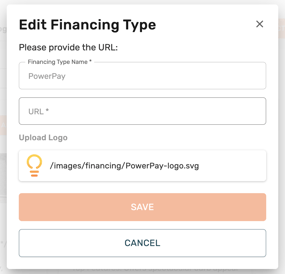
- A window will appear where you enter their lead intake or application URL. In most cases, this is the URL you already have linked on your website.
- Click Save.
- If using an unlisted financing option (Hearth, Improvifi, etc.), select the dropdown and click + Add New Financing Type.
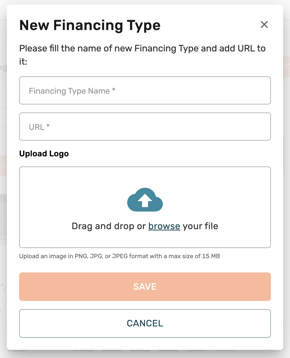
- A window will appear where you provide the Financing Type Name, URL, and Logo.
- The logo file must be PNG, JPG, or JPEG with a max size of 15 MB.
- Click Save.
- If prompted, click Save Changes on your Selected Products showcase.
PRO TIP: If your financing provider doesn't have a standalone application page and only offers an embeddable widget, create a dedicated financing page on your own website, embed the widget there, and then use that page's URL as your custom financing link in RoofQuote PRO.
Integrate Basic Financing Terms
Basic Financing lets you display a monthly payment estimate on your quotes based on custom terms you define. This does not link to an external lender — it simply calculates and displays an estimated monthly payment for the homeowner.
- Log in to your PRO portal.
- Go to Financing.
- Select the Basic Financing tab.
- Use the Market dropdown to select the market you want to configure.
- If the selected market is currently using a different financing type (e.g., ContractorLoan PRO), you'll see a notice. Click Switch to change it to Basic Financing.
- To switch all markets at once, click Switch All Markets to Basic Financing in the top right corner.
- Under Settings, configure your financing terms:
- The Length of Financing (Months) — use the slider or enter a value between 3 and 240 months.
- Annual Percentage Rate — use the slider or enter a value between 0% and 50%.
- Description — this text will automatically update and appear under "Price per Month" on the homeowner's quote (e.g., "Monthly price based on 9.9% APR for 240 months").
- Under Additional Product Cards Functionality, configure what pricing is displayed on your product cards:
- Show total price on all product cards for this market — toggle on or off.
- Show monthly price on all product cards for this market — toggle on or off.
- To copy these settings to other markets, click Apply next to "Apply Financing Settings to Other Markets" and select the markets you'd like to update.
- To restore defaults, click Reset Settings to Default at the bottom of the page.