Requirements:
- Roof Quote PRO™ active subscription
- Sales Rep user access
Overview:
NOTE: Your company’s ‘inbound’ email is used for receiving notifications such as new leads, and requires no extra connection.
The ‘outbound’ email is used for sending info to homeowners, such as instant online quotes, product details, and finance pre-qual invitations.
Connect an individual email address for sending homeowner emails through Rep Quotes.
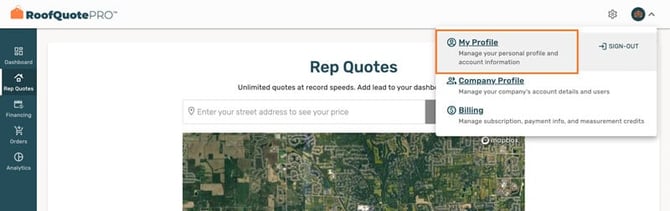
- Click on your profile picture at the top right, and go to ‘My Profile’
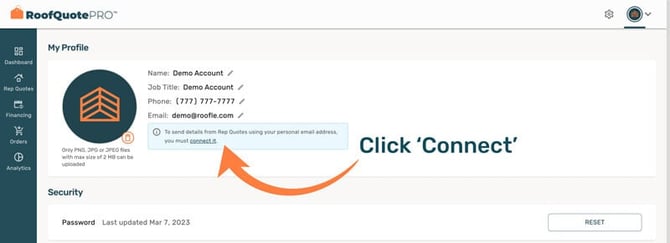
- If your email isn’t connected, you’ll see a warning box. Click ‘Connect it’
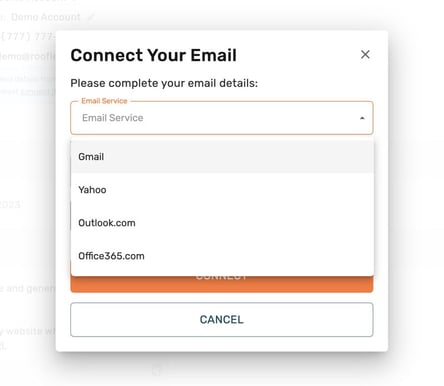
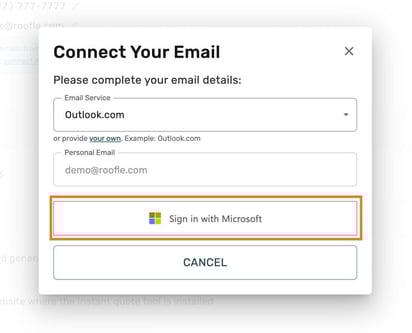
- In the popup, select your email service
-
Complete the authentication process for your individual email account
-
🎉 Congrats! 👉 You’ve successfully connected your emails!
- To adjust your email notification settings, go back to the Emails tab in General Settings.