
Requirements:
- Roof Quote PRO™ active subscription
- Admin user access
Overview:
You can fine-tune where your instant quotes are available by adjusting the radius and position of each market's service area. This gives you control over exactly which locations are covered without changing your market subscriptions.
Instructions:
- To start, login to your portal and find the Settings icon.
- Choose Markets from the menu.
- Navigate to the Service Area tab.
- Select the market you'd like to adjust using the Market dropdown.
-
If you only subscribe to one market, you can disregard this step.
-
- Adjust the Radius to your desired coverage area.
- Radius Slider: The radius can be reduced from its original maximum size down to a minimum of 15 miles. The radius cannot be increased past its original size.

-
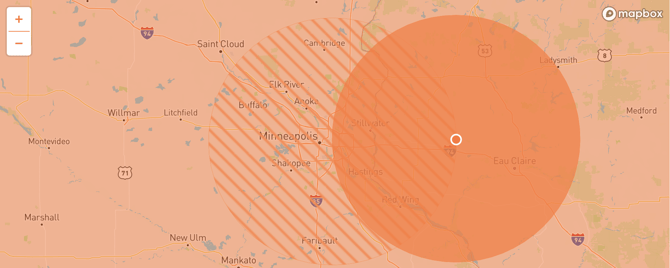
Radius Position: The radius can also be dragged around the map on the right hand side. However, the center (drag handle) of the radius must remain within the original boundary of the service area (hashed circle).
-
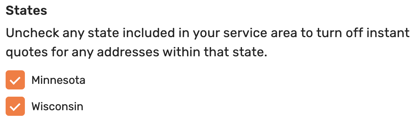
State Checkboxes: If your market is on the border between two or more states, you have the option to turn off leads from the other states.
- Radius Slider: The radius can be reduced from its original maximum size down to a minimum of 15 miles. The radius cannot be increased past its original size.
- Once you've adjusted to your liking, click Save Changes.
- If subscribed to more than one market, repeat this process for the rest of your service areas.
IMPORTANT: Whenever two (or more) service area radii overlap, the system will use the pricing from the market whose center is closest to the requested home address.